
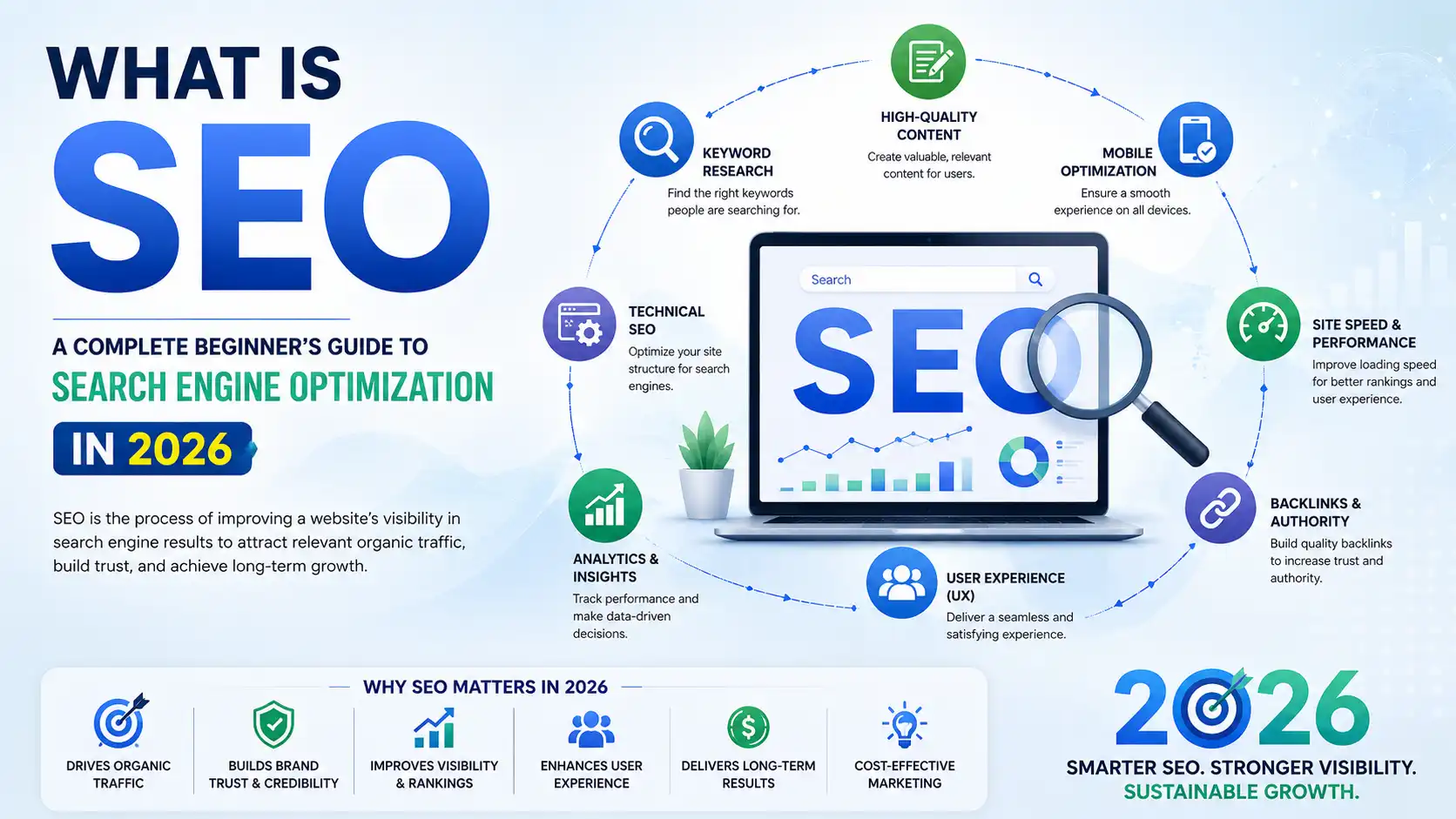
What Is SEO? A Complete Beginner's Guide to Search Engine Optimization in 2026
Search Engine Optimization (SEO) is the process of improving a website so it appears higher in search results and attracts relevant, unpaid traffic. It works by helping search engines — and increasingly, AI systems — find, understand, and trust your content enough to recommend it to the people searching for it.
This guide walks through how SEO actually works, the different types of SEO, the tools and skills you need as a beginner, and how the discipline is changing now that AI Overviews and chat-based search sit alongside traditional results.
How Search Engines Find, Store, and Rank Your Pages
Search engines complete three jobs before a page ever shows up in results: crawling it, indexing it, and ranking it against every other page competing for the same query. Understanding each stage explains why some pages struggle to appear at all, no matter how good the writing is.
Crawling: How Pages Get Discovered
Crawling is how automated bots — often called crawlers or spiders — travel from link to link across the internet to find new and updated pages.
A crawler arrives at a page, reads its content and structure, follows its links to the next page, and repeats the process indefinitely. Sites with clear navigation, working internal links, and no dead ends make this job easy. Sites with orphaned pages, broken links, or confusing menus often go partly unseen.
On the audit side: one of the most common issues on new client sites is pages that exist and look complete but were never linked from anywhere else on the site. A crawler has no way to reach a page it doesn’t know exists — sitemaps and internal links are what put it on the map.
Indexing: Where Content Lives Before It Can Rank
Indexing is the step where a search engine studies a crawled page and decides whether to store it in its index — the searchable database it draws from to answer queries.
Not every crawled page gets indexed. Search engines skip pages that are thin, duplicated elsewhere on the site, or blocked by mistake. Clear headings, original content, and consistent structure make it easier for both search engines and AI systems to classify a page correctly and keep it in the index.
Ranking: How the Winner Gets Chosen
Ranking is the process of comparing every indexed page that could answer a query and ordering them by how well each one is likely to satisfy the searcher.
Content quality, relevance, page experience, and authority all factor in. Modern ranking systems also weigh topical depth and demonstrated expertise — a page that only skims a subject tends to lose out to one that answers the question completely.
Search Intent: The Filter Behind Every Ranking Decision
Search intent is the reason behind a search — whether the person wants information, a comparison, or a place to complete a transaction. Relevance is how closely a page’s content matches that reason.
A page can be well-written and still rank poorly if it answers the wrong question. Someone searching “best CRM software” wants a comparison, not a single product’s sales pitch; matching that expectation matters more than any single keyword.
Key Takeaway: Crawling gets a page found, indexing gets it stored, and ranking decides where it lands — but none of it matters if the content doesn’t match what the searcher actually wants.
Related reading: [Google Search Console Guide], [Technical SEO Guide]
Five Types of SEO Working Together
SEO isn’t one activity — it’s five overlapping disciplines, each responsible for a different part of how a site gets found and trusted.
Search intent is the reason behind a search — whether the person wants information, a comparison, or a place to complete a transaction. Relevance is how closely a page’s content matches that reason.
A page can be well-written and still rank poorly if it answers the wrong question. Someone searching “best CRM software” wants a comparison, not a single product’s sales pitch; matching that expectation matters more than any single keyword.
Key Takeaway: Crawling gets a page found, indexing gets it stored, and ranking decides where it lands — but none of it matters if the content doesn’t match what the searcher actually wants.
Related reading: [Google Search Console Guide], [Technical SEO Guide]
| Type | What It Optimizes | Example Activities |
|---|---|---|
| On-Page SEO | Content and elements inside a webpage. | Headings, meta tags, keyword placement, internal linking, image optimization. |
| Off-Page SEO | Authority signals outside the website. | Backlinks, brand mentions, digital PR, influencer outreach. |
| Technical SEO | The website's technical infrastructure. | Crawlability, indexing, site speed, structured data, mobile usability. |
| Local SEO | Location-based search visibility. | Google Business Profile, local citations, reviews, map pack optimization. |
| Ecommerce SEO | Product and category discoverability. | Product optimization, category pages, schema markup, shopping-focused UX. |
In short: on-page SEO proves a page deserves to rank; off-page SEO proves other people agree.
Related reading: [Local SEO Guide], [Ecommerce SEO Guide], [Link Building Guide]
The Building Blocks of a Strong SEO Strategy
Every effective SEO strategy rests on the same five pillars, regardless of industry.
- Keyword research — Identifies the words and phrases real people search for, so content targets actual demand instead of guesswork.
- Content optimization — Improves clarity, structure, and depth so a page fully answers the query it targets.
- Link building — Earns references from other credible sites to build trust signals search engines can measure.
- Internal linking — Connects related pages so both users and crawlers can move through a site logically.
- User experience signals — Covers page speed, mobile usability, and navigation, since a frustrating page rarely holds attention long enough to convert.
On the content side: a recurring pattern in underperforming pages is keyword targeting based on assumption rather than data — a business ranks its homepage for a broad term like “marketing agency” when the searches that actually convert are longer and more specific, like “SEO agency for dental clinics.”
In Short: Strategy fails less often from missing effort and more often from targeting the wrong thing — the wrong keyword, the wrong intent, or the wrong page.
How to Actually Do Keyword Research
Direct answer: Keyword research is the process of finding the specific words and phrases your audience types into search engines, so you can build content around demand that already exists rather than topics you assume matter.
What Counts as a Keyword
A keyword is any word, phrase, or full question typed into a search engine. It’s the bridge between what a person wants and the page that can give it to them.
The Main Keyword Types
- Short-tail — broad, high-volume, highly competitive (e.g., “SEO”)
- Long-tail — specific, lower-volume, easier to rank for (e.g., “SEO tips for small local bakeries”)
- Informational — the searcher wants to learn something
- Navigational — the searcher wants a specific site or brand
- Commercial — the searcher is comparing options
- Transactional — the searcher is ready to buy or sign up
A Simple Keyword Research Workflow
- List the core topics your business or content already covers.
- Expand each topic into related questions and phrases your audience actually uses.
- Check search intent behind each phrase — informational, commercial, or transactional.
- Weigh relevance and competition to prioritize which terms to target first.
- Map each keyword to one clear page — avoid targeting the same term on multiple pages.
Key Takeaway: The best keyword isn’t always the highest-volume one — it’s the one that matches both what your audience is asking and what your page is built to answer.
Related reading: [Keyword Research Guide]
How Search Engines Evaluate High-Quality Content
Direct answer: Search engines and AI systems favor content that fully answers the searcher’s question, is organized around clear headings, and demonstrates real expertise rather than surface-level coverage.
What Makes a Page SEO-Friendly
- Directly addresses the intent behind the search
- Uses logical headings and a scannable structure
- Covers related subtopics instead of stopping at a shallow answer
- Reads naturally, without keyword stuffing
Content Writing Practices Worth Following
- Answer the core question early, then expand with detail and context
- Use descriptive, varied headings instead of repeating the same phrasing throughout
- Support claims with examples, data, or firsthand observations
- Link to related pages on the site so readers — and crawlers — can go deeper
A practical example: a page titled “Best Running Shoes” that only lists five products without explaining who each pair suits will often lose ranking position to a competitor that adds fit guidance, terrain considerations, and a comparison table — because it more completely resolves the searcher’s actual decision.
In Short: Good SEO content reads like it was written to help a specific person make a decision — not to hit a word count or keyword quota.
Related reading: [On-Page SEO Guide]
Why Technical SEO Is the Foundation of SEO Success
Direct answer: Technical SEO is the process of optimizing a website’s infrastructure so search engines can crawl, index, and understand its pages efficiently — without a solid technical base, even excellent content can go unseen.
Technical SEO Checklist
- [ ] Pages are crawlable and not accidentally blocked
- [ ] Site uses HTTPS and loads on mobile without layout issues
- [ ] XML sitemap is current and submitted to Search Console
- [ ] Robots.txt correctly allows or restricts the right sections
- [ ] No major duplicate content or broken internal links
- [ ] Core Web Vitals fall within recommended thresholds
During audits, one of the most common issues on newer websites is an outdated or missing XML sitemap — pages exist and read well, but search engines never receive a clear map to find them, which quietly caps how much of the site ever gets indexed.
Website Speed and Core Web Vitals
XML Sitemaps and Robots.txt
A sitemap lists the pages a site wants discovered; robots.txt tells crawlers which sections to skip. Used correctly, the two work together so search engines spend their limited crawling attention on the pages that matter most.
Key Takeaway: Technical SEO doesn’t make content better — it makes sure the content that’s already good actually gets found.
Related reading: [Technical SEO Guide], [Core Web Vitals Guide], [Google Search Console Guide]
Get In Touch
Lorem ipsum dolor sit amet, consectetur adipiscing elit. Ut elit tellus, luctus nec ullamcorper mattis,